The Honest Story of Shipping a Notion Backup Micro-SaaS in 3 days
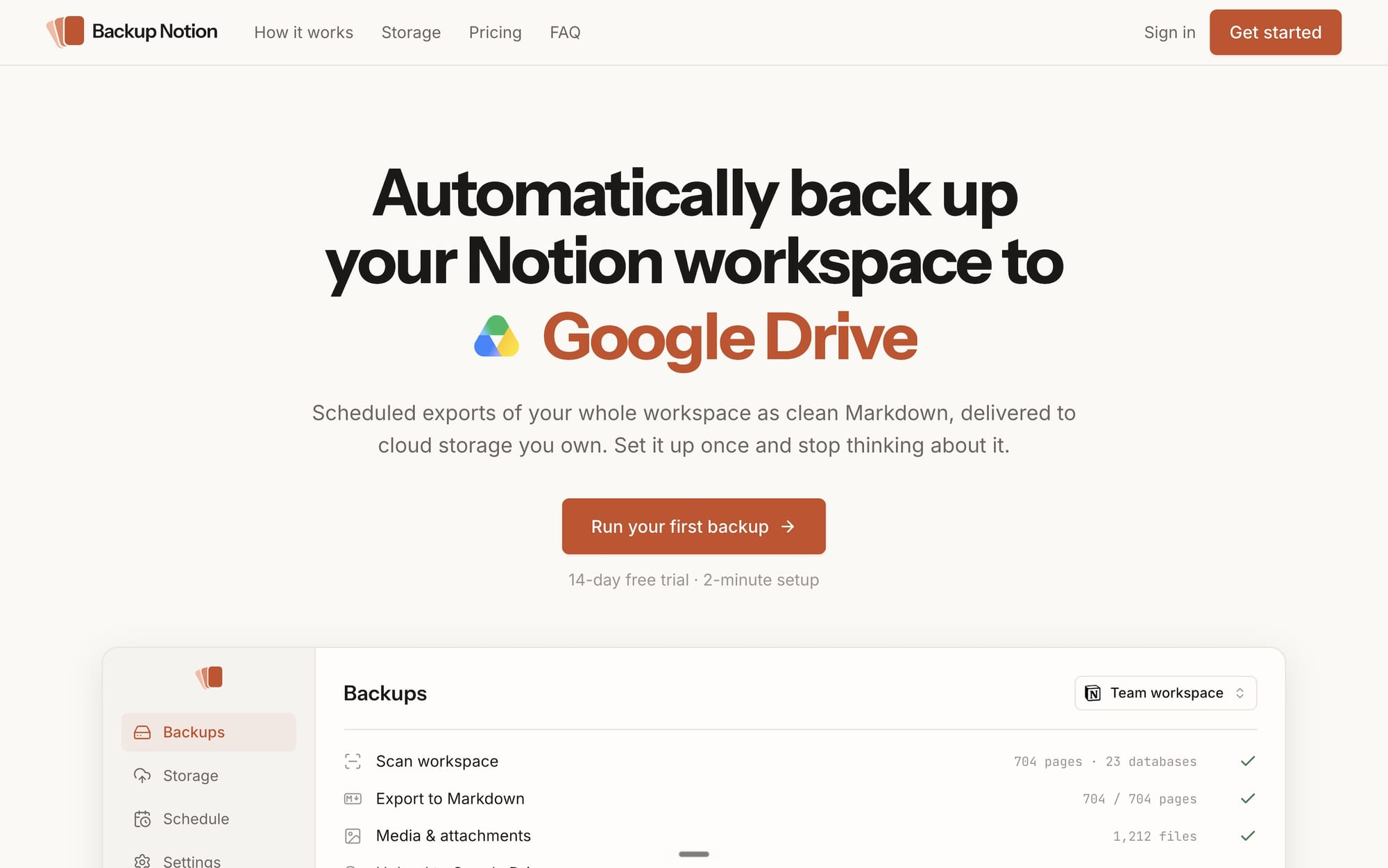
This project started with a simple problem: I needed a way to back up my Notion workspace as a zip archive. Notion's export tool is rudimentary and doesn't preserve some parts of your content, like comments. So I did what I usually do in situations like this and built a small CLI prototype. It worked — it exported my pages while maintaining my workspace's hierarchical structure, and backed up attachments and media as well.
As I was fiddling with that prototype in Claude Code, Anthropic released its Fable model to the public. I've build product with Opus before, and a real chuck of the work feels like babysitting. I think heavy of Claude Code will know that feeling. It can often feels like a third of one's time prompting Claude is spent keeping it on the right path, correcting mistakes, re-explaining, and getting frustrated. So I set out to build my Notion backup prototype into a real product. I was curious whether Fable actually stood up to the hype.
And the answer is unequivocally yes.
What I built: Backup Notion
Backup Notion is automatic, scheduled backups for your Notion workspace, delivered to cloud storage you own. It currently supports Google Drive, Dropbox, S3-compatible buckets, and SFTP, with more providers coming soon.
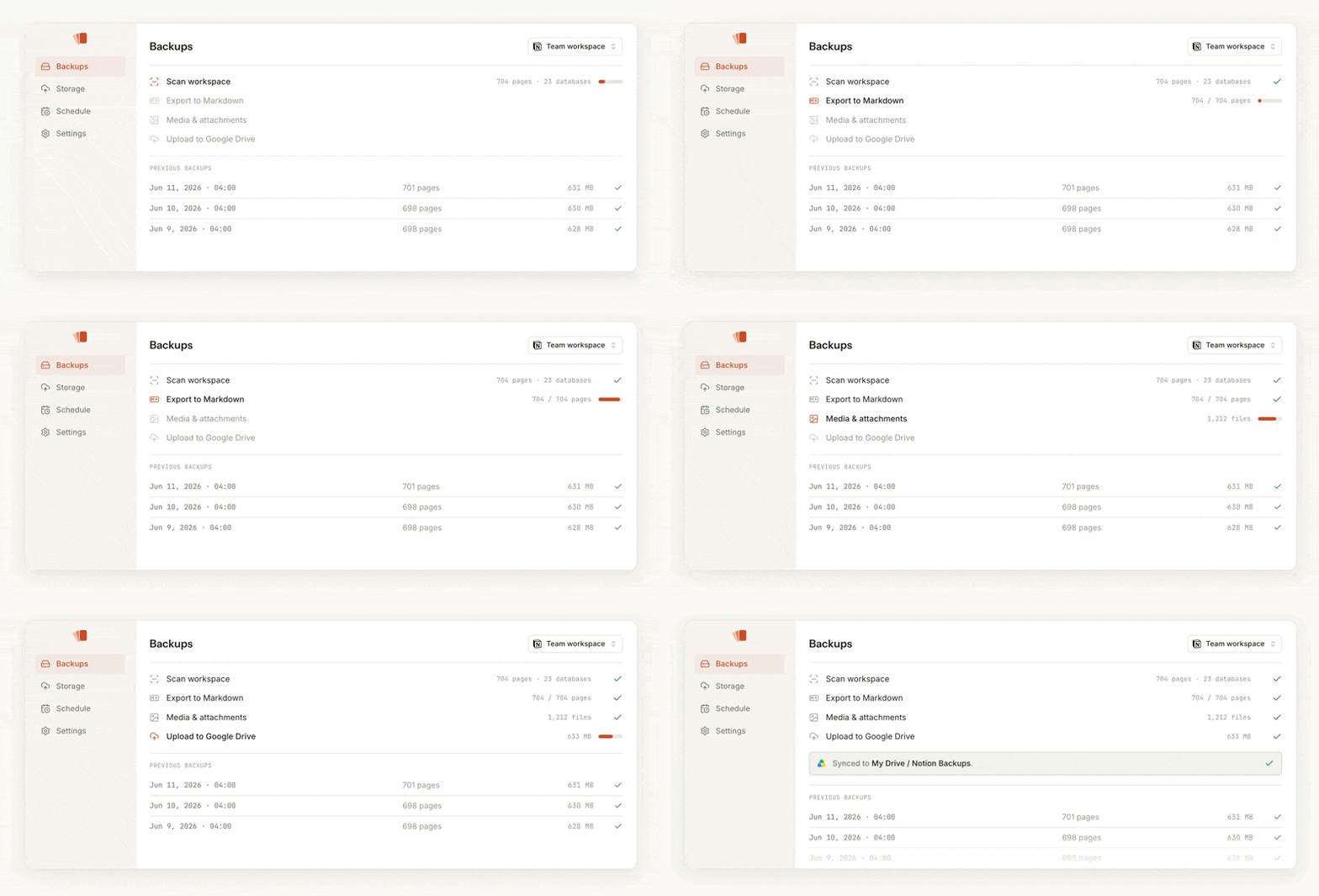
Getting started is simple. One only needs to login with their Notion account and provide read-only access to the Teamspaces and pages they want backed up. Then choose a backup schedule (daily, weekly, or monthly) and connect your cloud storage provider.
That's it. Onboarding takes less than two minutes and your first backup is ready and uploaded as a zip file in just a few minutes.
Here's a few other great things about Backup Notion:
- Backups deliver nested folders that match your workspace's structure.
- All pages, and databases are delivered as markdown files identical to your content on Notion. Internal and external links are maintained.
- All media, images, and file attachments are included in the backup archive.
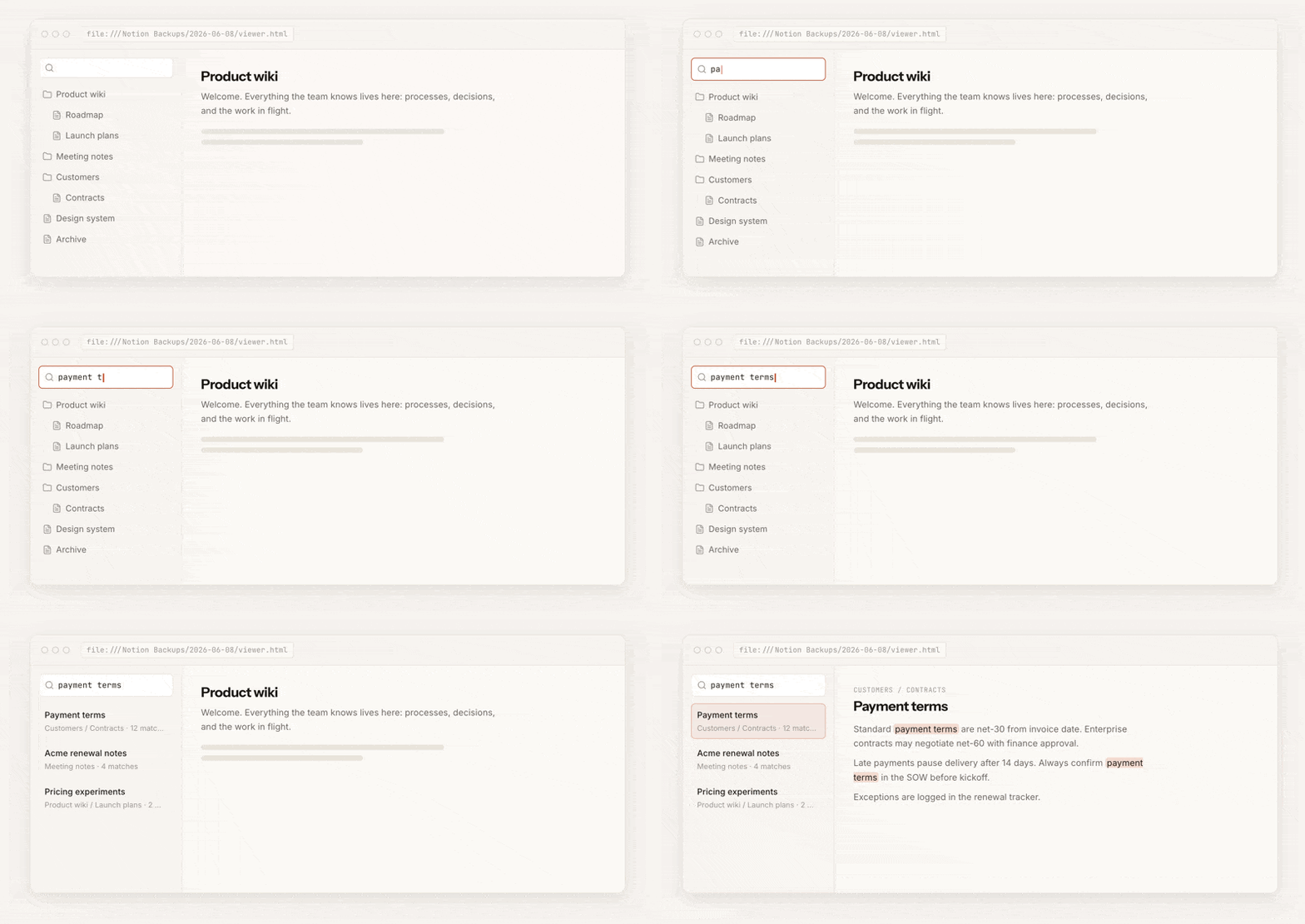
- Every backup comes with an offline, browser-based viewer. You can navigate and even search across your whole workspace without Notion.
- Backups can be scheduled daily, weekly, or monthly, and delivered to the storage provider of your choice.
- Team accounts also maintain comments
Pricing is simple: $9/mo for personal use, $20 for teams, with a 14-day trial. The team plan adds a few extras, like comments included in backups and JSON export.
Even though I think the product is highly polished, there are lots of great features I'd like to implement soon.
- Restoring entire backups and individual files to Notion
- Backup databases as Excel files
- Automatic synchronization of databases to Google Sheets
- Support for more storage providers, including decentralized storage like Walrus and Arweave
- Version and change tracking
How I build Backup Notion in just three days
On day one, I focused on the core product and the landing page. Both were ready for beta in a day, and this is where the power of Fable really showed. The same work would easily have taken three times as long with Opus 4.8.
On day two, I focused on optimizing and polishing the overall user experience. I made improvements to the marketing site and reworked the onboarding flow to be more intuitive.
On day three, I woke up to the news that Anthropic disabled Fable following a US Government directive. Thankfully, the most complex part of building the app was already behind me. I used Opus to fix some minor bugs, perform UI/UX improvements, and extensively test the backup and export pipeline.
Three things I took away from it
Fable stays on path. That's the hardest thing to convey if you haven't felt it. With Opus, it can often feel like a lot of time goes into course correction. Fable just keeps walking in the right direction. It felt like it understood what I was building, with far less hand-holding. The clearest example are the product animations on the home page – I never asked it to build those. It's small touches like this that made the experience feel different.
I should have shipped earlier. My real bottleneck is always wanting things to be perfect. I pour hours into minor details and call things "almost ready" long after they actually are. The core was ready and functional after about a day and a half. I would have put it in front of people and continued to improve it in the open instead of doing endless polishing.
Good foundations did a lot to get me started. The branding and devops infrastructure came from an earlier project I never released. I'd already spend a lot of time working with Claude of build the brand guidelines, which is why I think Fable was able to build such a great marketing site. Though Claude still isn't great at branding and design, it can do decent work with thorough and deliberate prompting.
Give Backup Notion a try
If you live in Notion and want to keep off-platform backups of you content, give Backup Notion a try. There's a 14-day trial, and you keep your backups even if you cancel.